
Who changed this number?
Every change carries a name, a time and a reason. A wrong entry is undone with one tap, never overwritten.
Stock control, without the clutter
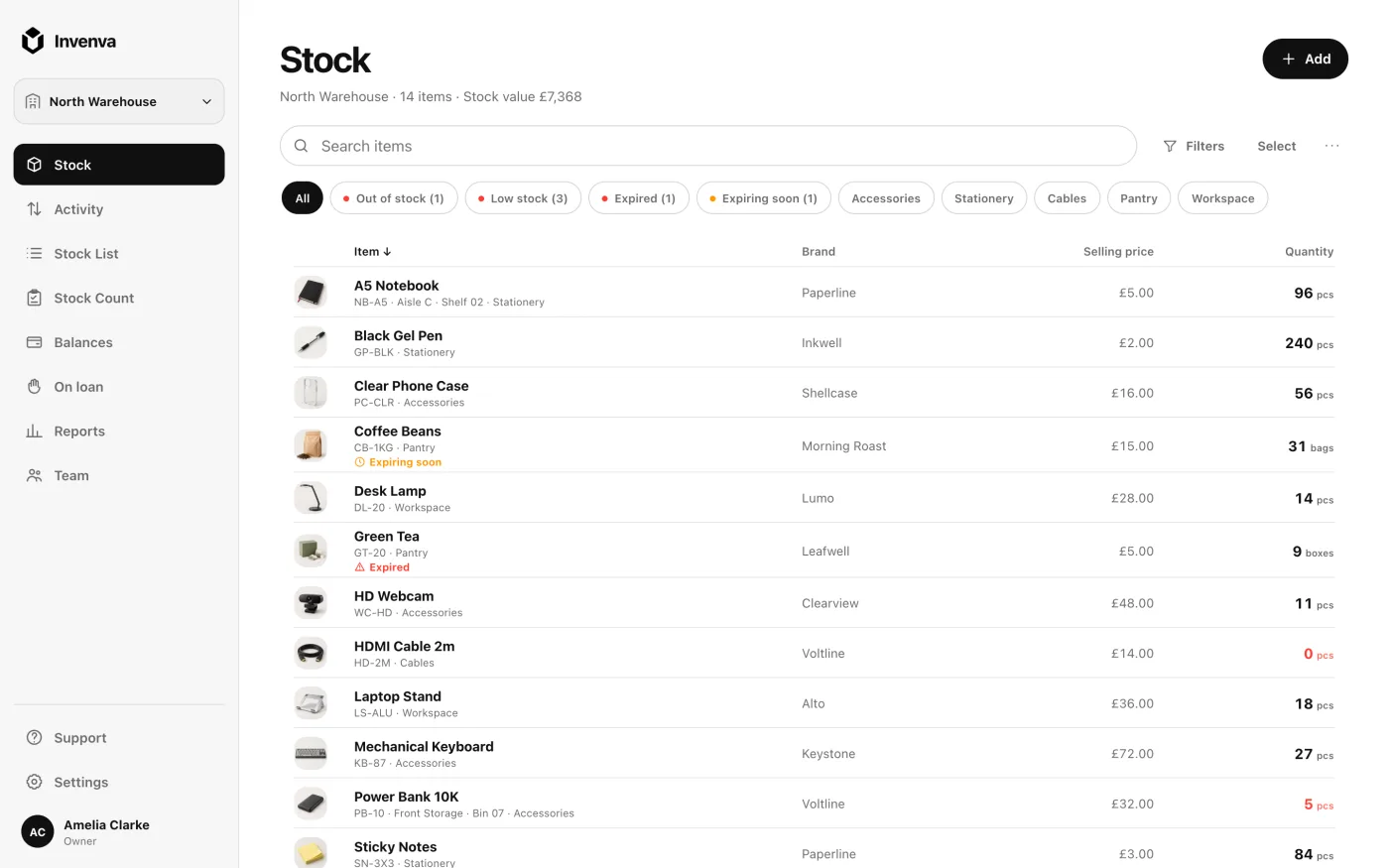
Add items, scan barcodes, count shelves and see what your stock is worth. On iPhone, Android or in any browser, together with your team.


Sound familiar?
Who changed this number?
Every change carries a name, a time and a reason. A wrong entry is undone with one tap, never overwritten.
We ran out again.
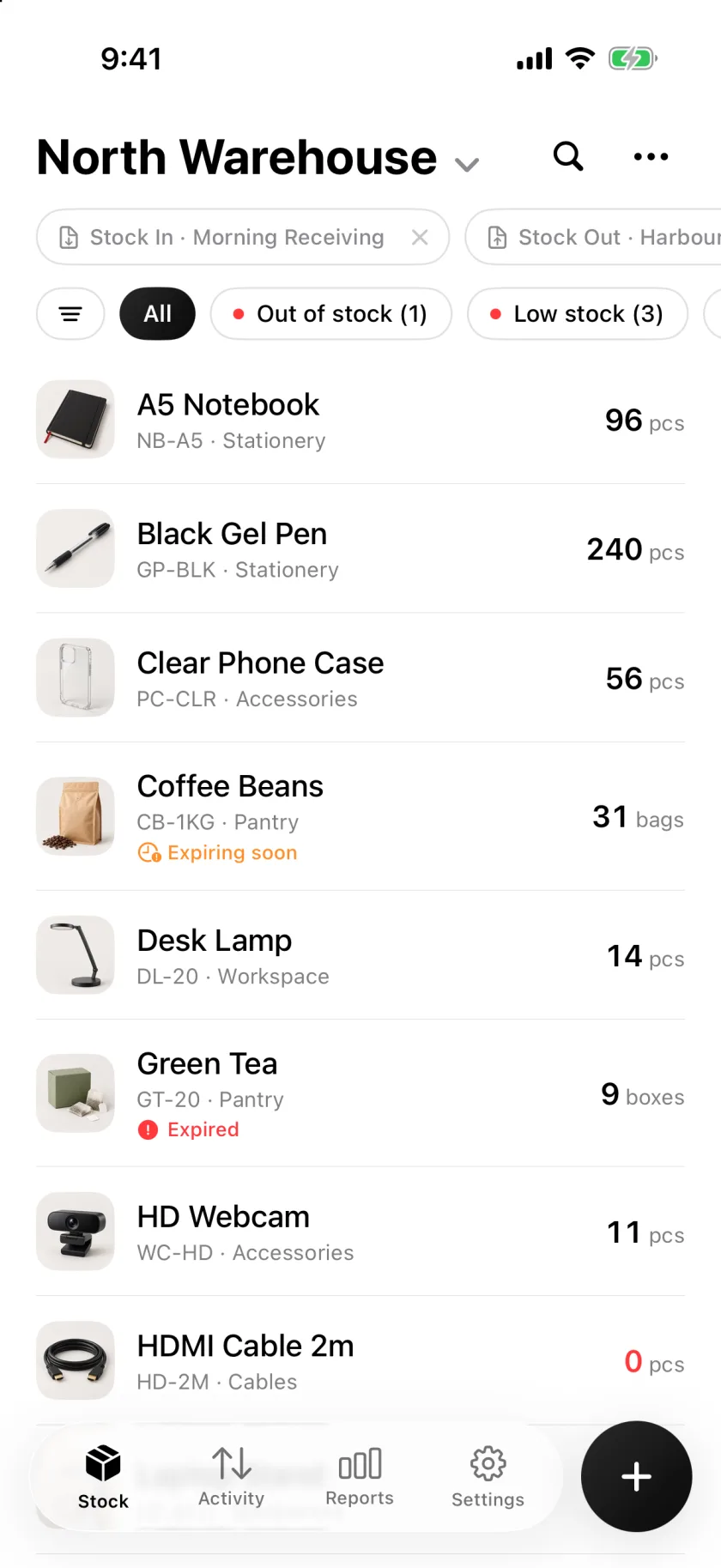
Set a minimum per product and get a notification before the shelf is empty, on your phone or in the browser.
The count took all night.
Tick items in place or scan to tally. Rows never move, so two people can split a shelf, and the differences apply in one step.
How it works
Four screens cover a whole working day. No training, no manual.
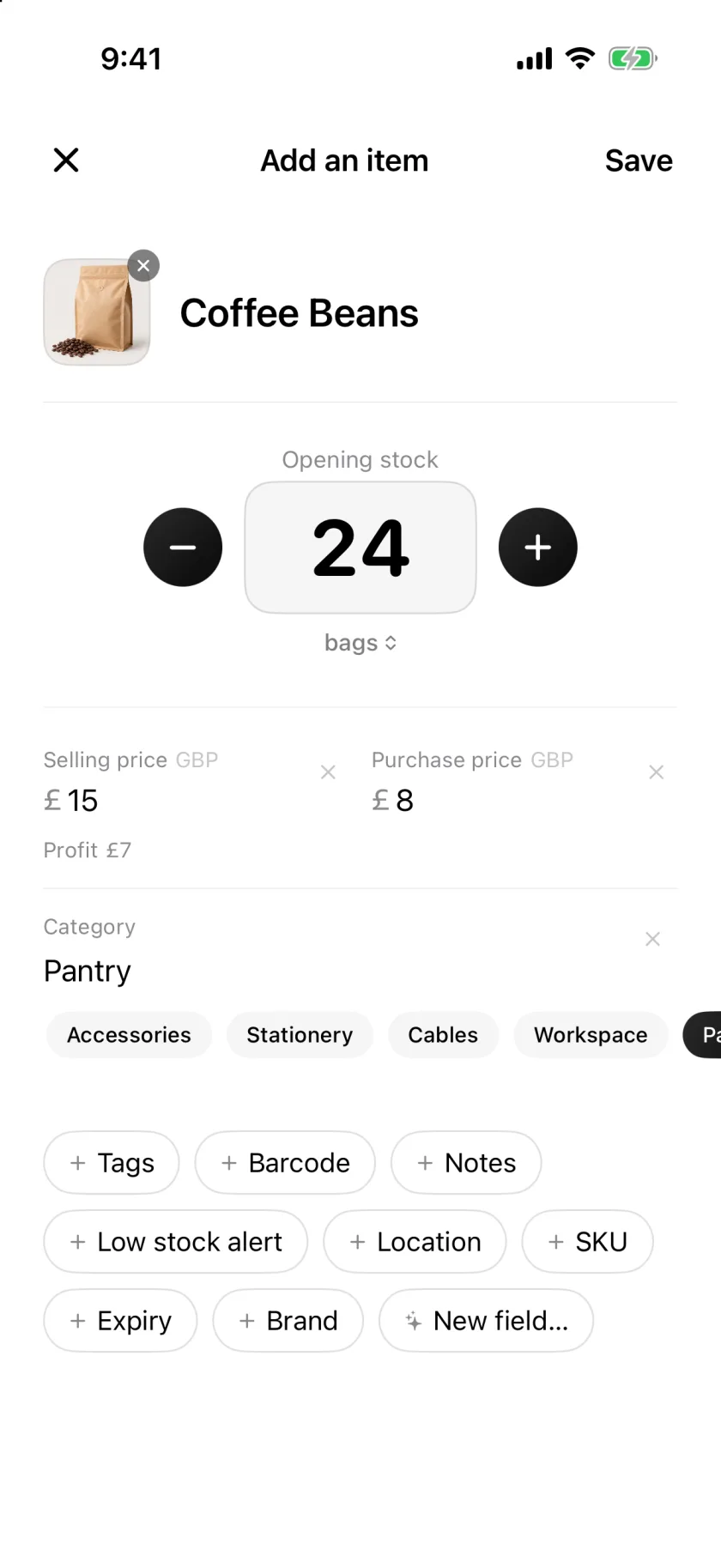
Type a name, take a photo or scan the barcode. Add a price, a category or any field you need. Already have a list in Excel? Import it in one go.
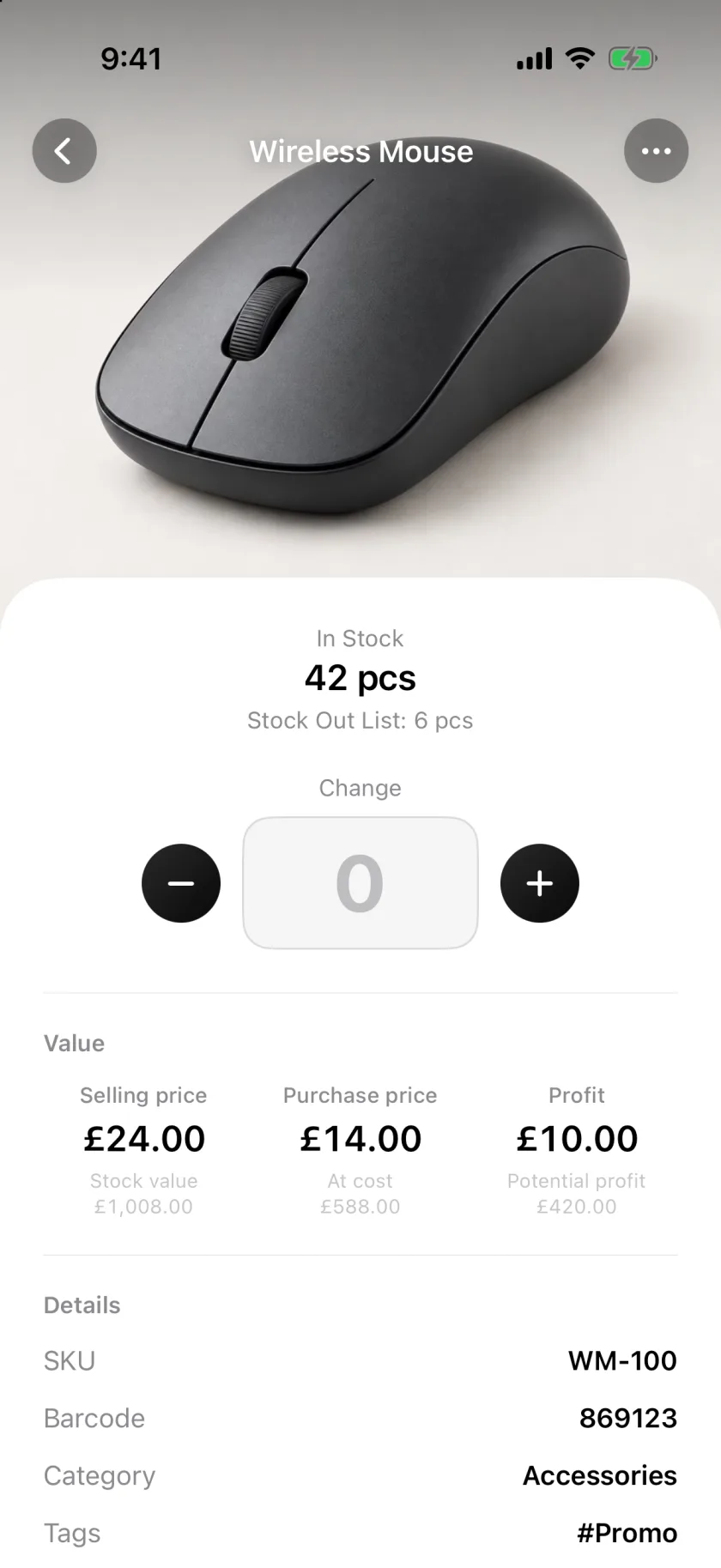
Goods in, goods out, sales and returns. Every change is saved with who did it, when, and how much it was worth. A mistake can be undone, nothing is ever overwritten.
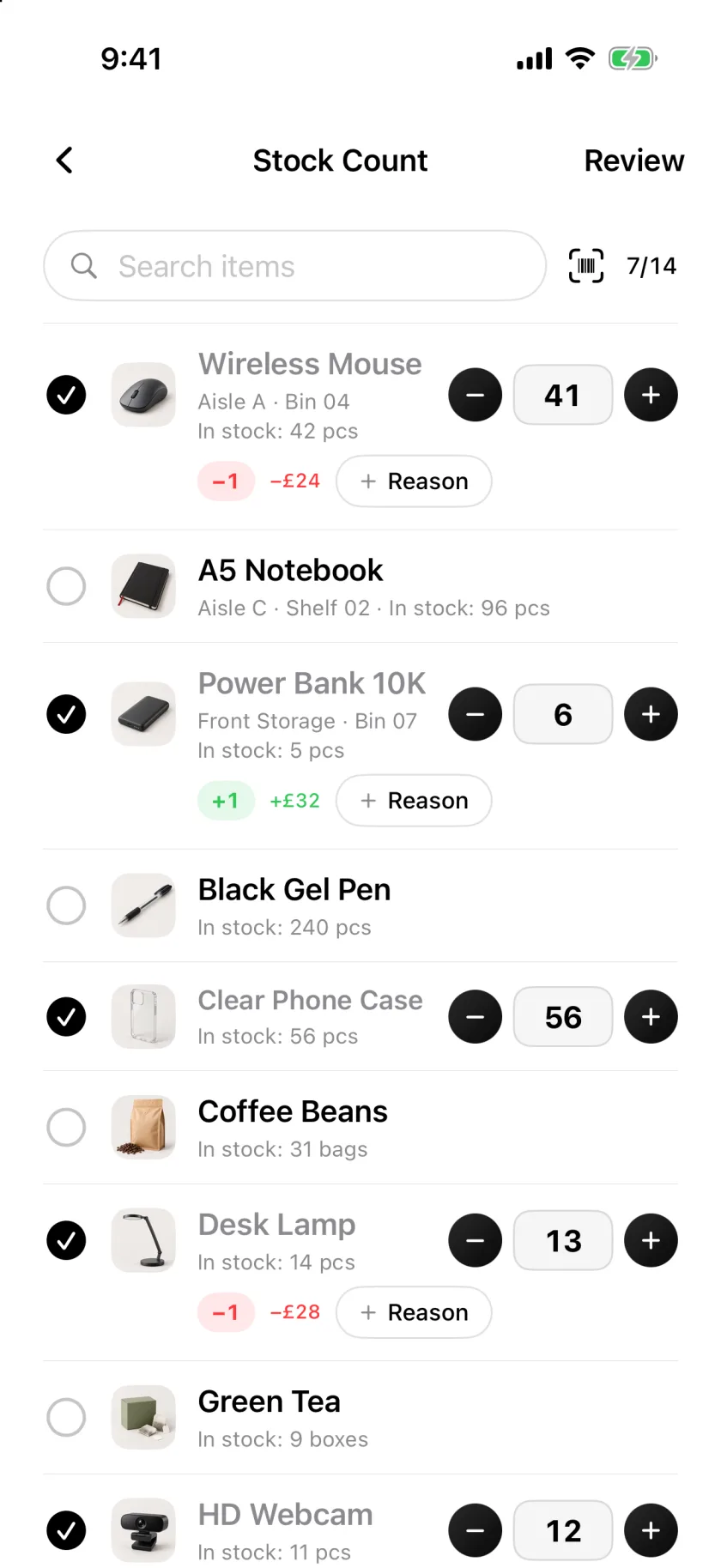
Tick items as you go or scan to tally. Rows stay where they are, so two people can split a shelf. Apply the differences in one step and keep the record.
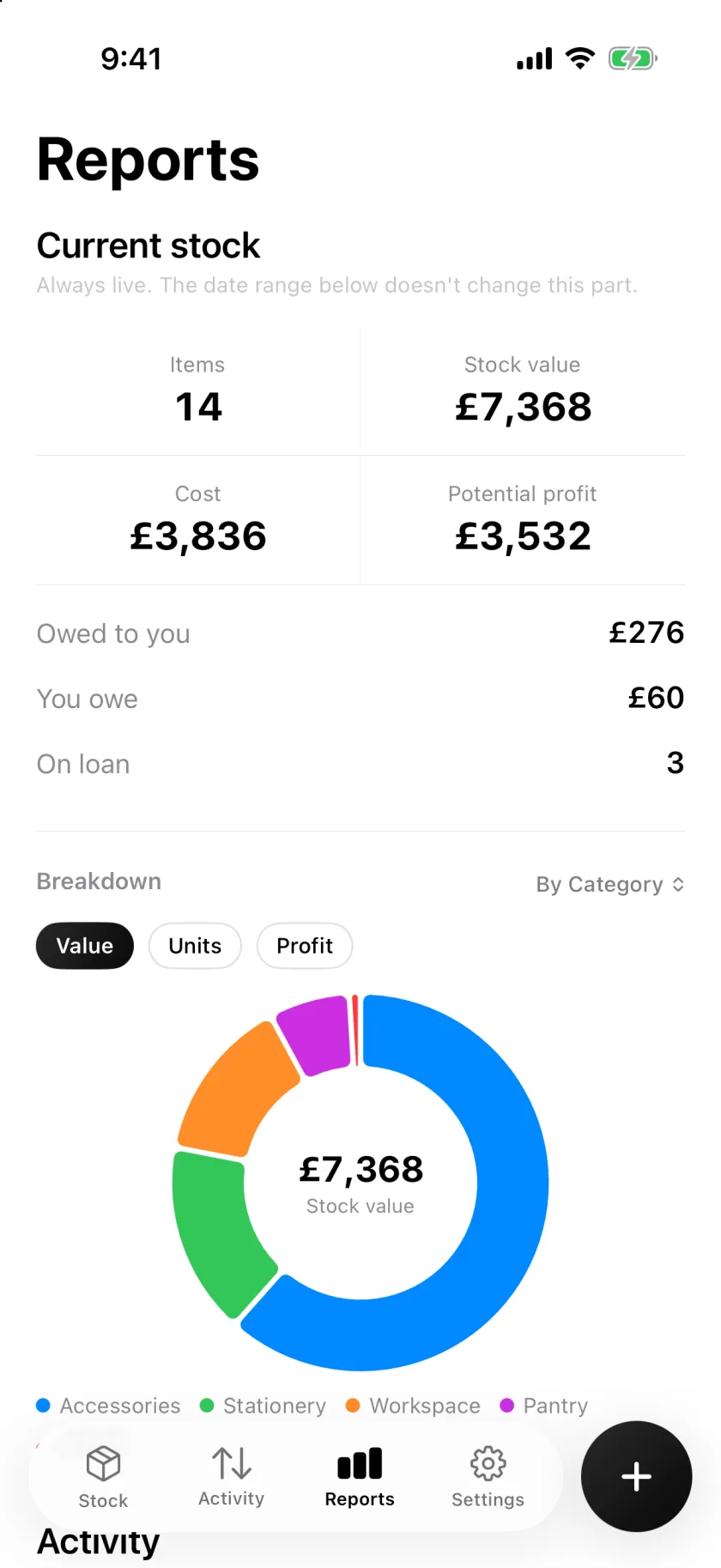
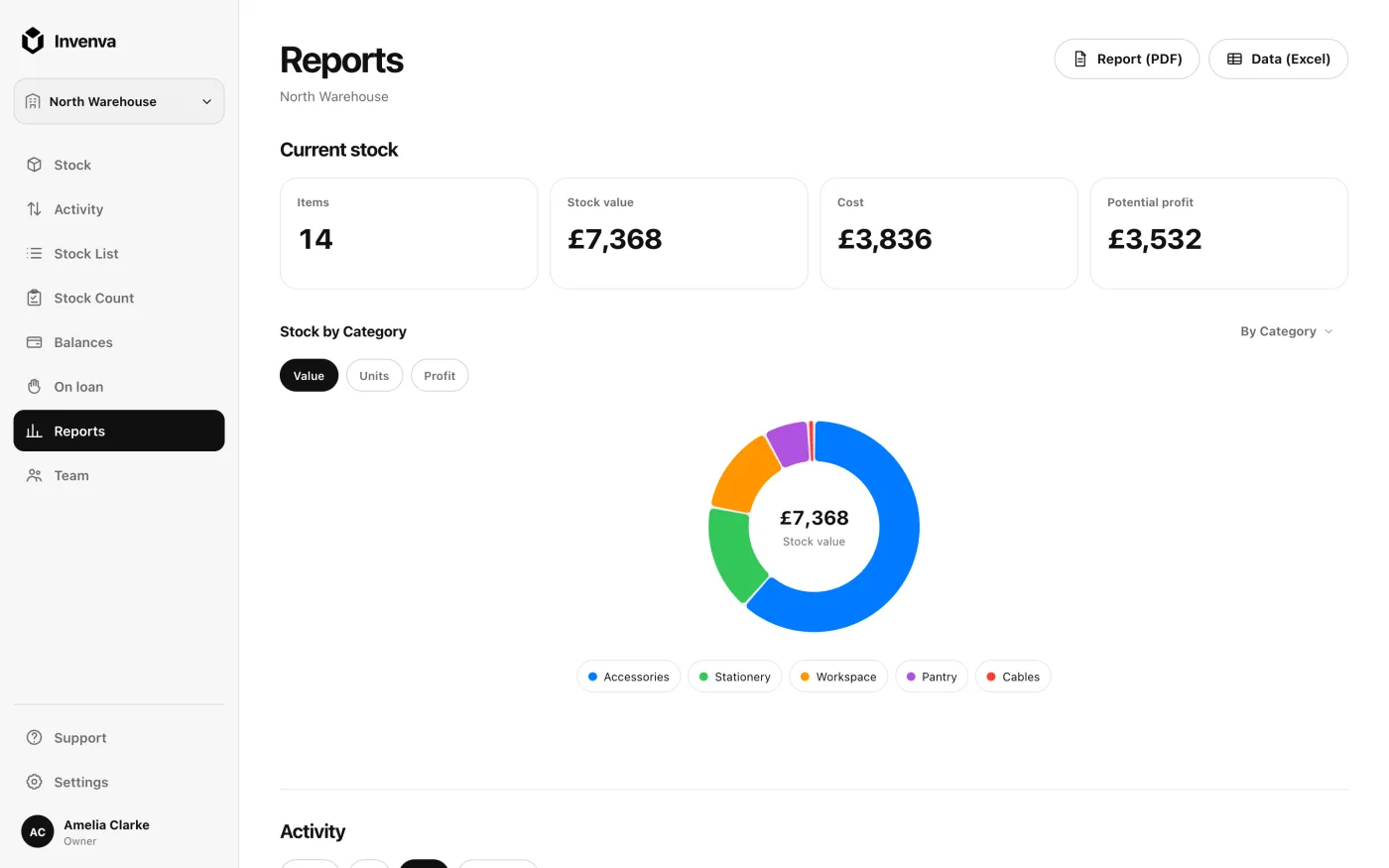
Stock value, low stock, top sellers, profit and trends over any period. Export a PDF or Excel file when someone asks for it.
One account, every device
Scan and count on iPhone or Android, where the stock is. Review reports, orders and balances on a big screen. The same data, always in sync, offline too.
Everything a small business needs
Nothing to set up: every tool is switched on from the start, and you turn off what you do not use. Inviting your team, importing a whole file, exports, documents and labels come with the paid plans.
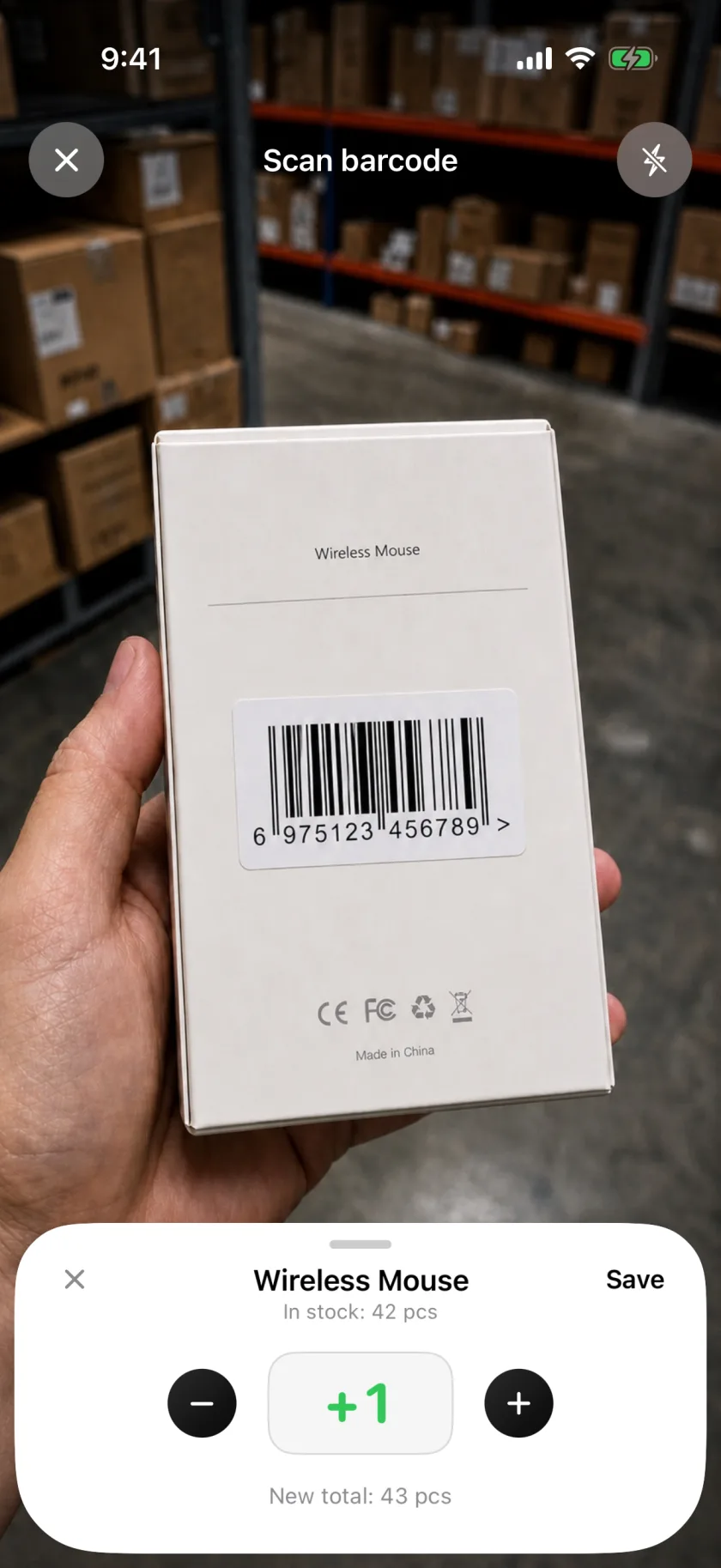
Scan barcodes and QR codes with the camera to find, add, count or move an item. Print barcode labels for products that do not have one yet. USB and Bluetooth barcode scanners work too.
No signal in the storeroom? Keep working on the phone: stock in and out, stocktakes and new products are saved on the device and sync the moment you are back online.
Invite staff with a code or a link. Viewers look, editors move stock, admins manage the team. Everyone sees the same numbers.
Prepare supplier orders and delivery lists as checklists, hand them to a colleague, and book everything in one step when it is done.
Book a sale on credit as part of the stock out. Each customer's balance, due dates and part payments sit in Balances, and the iPhone and Android apps remind you on the due day.
Lend items to a named person or customer, with an optional return date and part returns. On loan shows what is out, with overdue loans in red.
Give each shop, depot or site its own workspace. A transfer moves stock between them in one step, at the cost it left with.
Quotes, delivery notes, sales receipts, invoices and credit notes as numbered PDFs with your business details.
Set a minimum per item and get a notification before you run out. Products with an expiry date warn you in time.
Stock lists, reports, delivery notes and stocktake sheets. Unbranded, carrying your business name, ready to send.
SKU, supplier, shelf, expiry date or a field of your own. Keep the details that matter to your business.
Every movement is recorded with the person, the time and the value. Filter it, export it, undo a wrong entry.
Built for
Pricing
Try it with up to 20 items and 20 stock actions on your real stock, no card needed. Paid plans bring in your team, more workspaces and room for more items.
To try it out
$240−58%
For small shops
Billed $99.99 once a year. First 7 days free.
$960−58%
For growing businesses
Billed $399.99 once a year. First 7 days free.
$3,600−58%
For chains and big teams
Billed $1,499.99 once a year. First 7 days free.
Need more than Enterprise? Write to us.
One plan covers the iPhone, Android and web apps on one account. Subscribe in the iPhone app, or at invenva.com/app on a computer or an Android phone. Prices are in US dollars before tax; the App Store shows the price for your country. Cancel any time.
FAQ
You can try it free with up to 20 items and 20 stock actions. Paid plans add your team, more workspaces and room for more items, with import and exports.
Yes. Everything you do is saved on the phone and syncs when you are back online. A stockroom with no signal is not a problem.
Yes, on every paid plan: Pro includes up to 5 people, Business 25 and Enterprise 100, the owner included, with no extra fee per person. Invite people with a code or a link. New members start as viewers; you decide who can move stock and who manages the team.
Yes. Import an .xlsx or CSV file, match the columns once and every item arrives with its opening stock. Duplicates are skipped, unless you turn on Update existing items: then the file updates those products, and you see a preview of the changes before they are saved. That switch is in the web app now and comes to the iPhone and Android apps with their next update. A whole file comes in with a paid plan; without one, rows come in until you have 20 items.
Point the camera at a product. If the barcode is known, the item opens; if not, you add it on the spot. Products without a barcode can get a printable label from the app. Barcodes and QR codes both work.
Yes. Invenva runs in any browser at invenva.com/app, on a computer or an iPad, and as an app on iPhone and Android, with the same account and the same data everywhere.
Your data is stored with Google Cloud and Cloudflare, encrypted in storage and in transit. In the app, only the members of your workspace can open it, and each person's permissions decide what they see. You can delete your account in Settings, and every workspace you alone own is deleted with it.
Yes. The demo opens a sample inventory in your browser with no sign-up, so you can click through stock, counts, orders and reports before you create an account.
Guides
Start free in your browser or download the app. Your first item takes under a minute.